WordPress.com vs Hostinger: Which Is Better in 2026?
WordPress.com vs Hostinger: Compare pricing, performance, SEO, security, plugins, support, and flexibility to find the best WordPress hosting for your website.
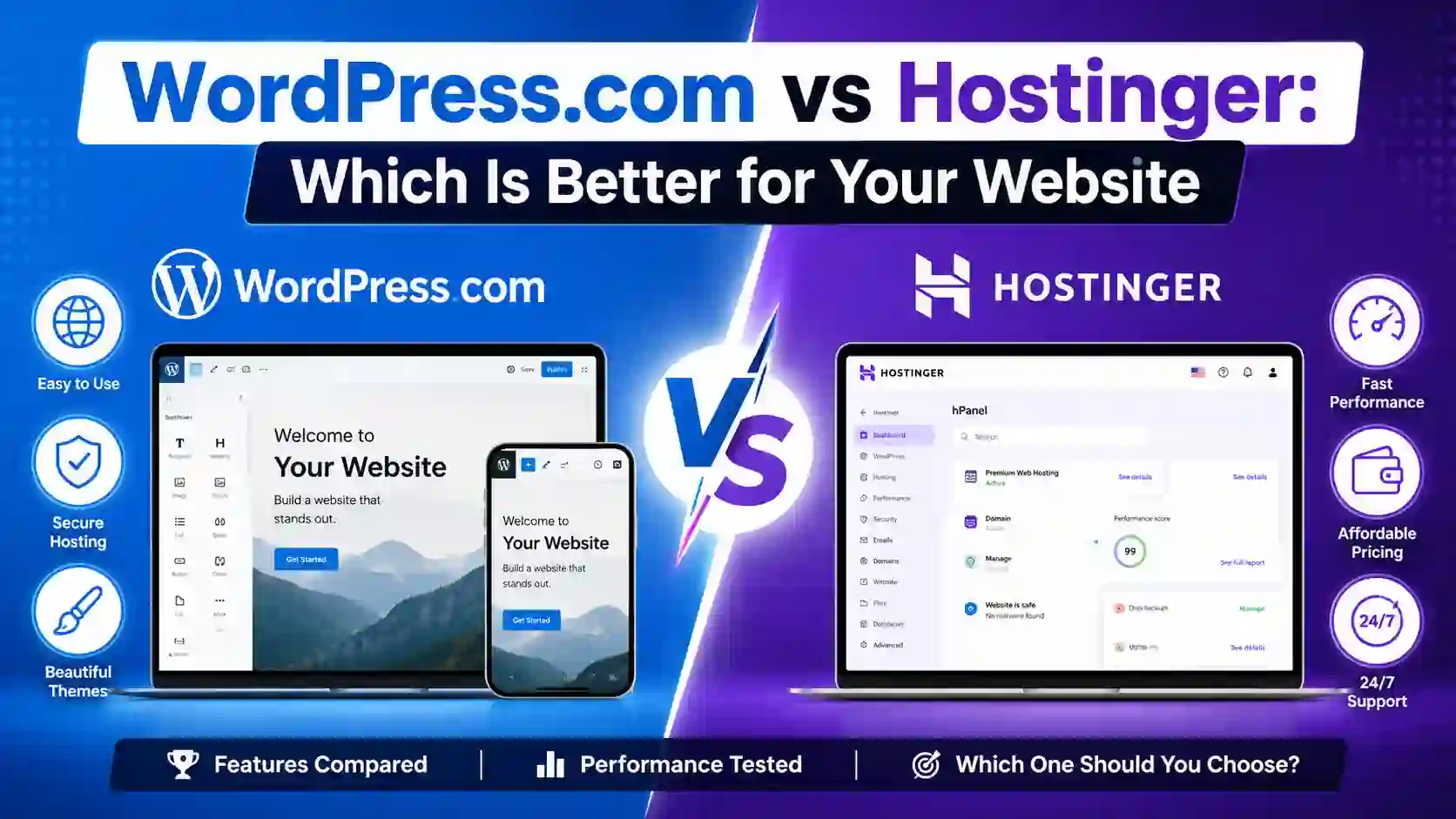
WordPress.com vs Hostinger: Which Is Better for Your Website in 2026?
Choosing the right platform to build and host a WordPress website can feel confusing, especially when two popular options keep appearing in your search: WordPress.com and Hostinger.
If you are searching for wordpress.com vs hostinger, you are probably trying to answer a simple question: which platform gives you the best combination of price, performance, flexibility, ease of use, and long-term value?
The answer depends heavily on what kind of website you want to build.
WordPress.com is a managed WordPress platform where hosting, WordPress software, security features, updates, and many website-management tools are integrated into one service. Hostinger, on the other hand, is a web hosting provider that allows you to install and run WordPress on your own hosting account, while also providing managed WordPress hosting features designed to make the process easier.
For beginners, bloggers, small businesses, affiliate marketers, freelancers, online stores, and people planning to grow their websites, both platforms can be good choices. However, they offer very different approaches.
In this detailed wordpress.com vs hostinger comparison, we will look at pricing, WordPress installation, ease of use, performance, themes, plugins, SEO, security, backups, customer support, ecommerce, scalability, monetization, and overall value for U.S. website owners.
WordPress.com vs Hostinger at a Glance
Before going into the details, here is a quick comparison.
| Feature | WordPress.com | Hostinger |
|---|---|---|
| Platform type | Managed WordPress platform | Web hosting with managed WordPress options |
| WordPress included | Yes | Yes |
| Beginner friendly | Excellent | Excellent |
| Hosting included | Yes | Yes |
| Custom domain | Available on paid plans | Available with eligible plans |
| Free domain | Available with eligible plans | Available with eligible plans |
| Plugin support | Available on current paid plans, depending on plan | Yes |
| Theme support | Large selection of WordPress themes | WordPress themes supported |
| SSL | Included | Included |
| Automatic WordPress updates | Yes | Yes |
| Backups | Available, with features depending on plan | Available, depending on plan |
| Staging | Available on higher-tier WordPress.com plans | Available on eligible plans |
| SSH/SFTP | Available on supported plans | Available on supported plans |
| WooCommerce | Supported | Supported |
| Email hosting | Plan dependent | Available with eligible hosting plans |
| Website migration | Available | Available |
| AI tools | Available | Extensive AI tools |
| Customer support | WordPress.com support | 24/7 support |
| Hosting flexibility | More managed | More hosting-oriented flexibility |
| Best for | Users wanting managed WordPress | Users wanting value, flexibility and hosting control |
| Overall value | Strong for managed WordPress | Strong for budget-conscious website owners |
WordPress.com includes managed hosting, automatic updates, security features, themes, editing tools, and other website-management functionality. Its current plans also provide plugin access on paid tiers.
Hostinger offers managed WordPress hosting with features such as automatic updates, backups, staging, CDN, AI tools, WordPress optimization, and 24/7 support.
What Is WordPress.com?
WordPress.com is a hosted WordPress platform operated by Automattic. It allows you to create a WordPress website without separately purchasing hosting and installing WordPress yourself.

WordPress.com Offer – 75% Off
Build your website with WordPress.com and take advantage of this 75% off offer. It is a great option for bloggers, creators, small businesses and anyone looking for a simple managed WordPress platform.
This is an important distinction.
Many beginners confuse WordPress.com with WordPress.org. WordPress.org is the open-source WordPress software that you can install on a hosting provider such as Hostinger. WordPress.com provides the hosting environment and WordPress software together.
WordPress.com states that its hosting is included with its plans, meaning you do not need to purchase hosting from another company.
This makes WordPress.com particularly attractive if your priority is simplicity.
You can create your website, select a theme, customize your pages, publish content, manage users, and handle many technical tasks from one platform.
For someone launching a personal blog or small business website for the first time, this can eliminate much of the technical work associated with managing a website.
What Is Hostinger?
Hostinger is a web hosting company that provides hosting services for WordPress and other types of websites.
With Hostinger, you can purchase a hosting plan, connect a domain, install WordPress, choose a theme, install plugins, and build your website.

Hostinger Coupon Code – 89% Off + Extra 20% Off
Save more on your new WordPress hosting plan with this exclusive Hostinger offer. Get up to 89% off hosting + an extra 20% off with the coupon code, making it easier to launch your website for less.
Hostinger's managed WordPress hosting currently includes features such as automatic WordPress updates, backups, staging, CDN integration, AI tools, WordPress optimization, and developer tools on supported plans.
The biggest advantage is flexibility.
You are not simply buying a blogging platform. You are buying web hosting on which you can run WordPress and build a much broader range of websites.
This makes Hostinger attractive for bloggers, affiliate marketers, business owners, developers, agencies, WooCommerce stores, and users who want more control over their hosting environment.
WordPress.com vs Hostinger: The Biggest Difference
The biggest difference between WordPress.com and Hostinger is how they approach website hosting.
WordPress.com focuses on providing an integrated, managed WordPress experience.
Hostinger focuses on providing hosting infrastructure and tools that allow you to run WordPress.
Think of it this way:
WordPress.com is closer to an all-in-one WordPress website platform.
Hostinger is closer to buying a place to host your WordPress website, with tools designed to make management easier.
Neither approach is automatically better.
The right choice depends on how much control you want and how much technical responsibility you are comfortable handling.
WordPress.com vs Hostinger: Ease of Use
For beginners, both platforms are relatively easy to use.
However, WordPress.com has a slight advantage if you want the most straightforward managed experience.
You sign up, create your website, select a design, configure your domain, and begin publishing content.
WordPress.com handles many technical aspects behind the scenes, including WordPress updates and hosting infrastructure.
Hostinger has also invested heavily in simplifying WordPress setup.
Its managed WordPress service is designed so users can get a WordPress website running without complicated server configuration. Hostinger also provides AI-powered tools for website creation and WordPress management.
Winner for simplicity: WordPress.com
If your biggest concern is avoiding technical tasks, WordPress.com is an excellent choice.
If you want simplicity but also want more hosting flexibility, Hostinger is extremely competitive.
WordPress.com vs Hostinger: Pricing
Pricing is one of the biggest reasons people compare these two platforms.
WordPress.com offers multiple plans, including a free option and paid plans with additional features. Its paid plans provide capabilities such as custom domains, plugin installation, additional themes, increased storage, analytics, and other functionality depending on the plan.
Hostinger generally competes aggressively on introductory hosting prices, particularly when customers choose longer billing periods.
For example, Hostinger currently advertises its U.S. WordPress hosting plans with introductory pricing that can be significantly lower than standard renewal rates. Its displayed U.S. plans include Premium, Unlimited, and Cloud Startup options.
This is something every buyer should understand.
Do not compare only the promotional price.
Always check:
- Initial subscription price
- Billing period
- Renewal price
- Domain renewal cost
- Email availability
- Backup features
- Storage
- Number of websites
- Migration options
- Additional services
A hosting plan that appears cheaper for the first year may cost more when it renews.
Winner for affordability: Hostinger
For many users, especially those building a self-hosted WordPress website, Hostinger offers excellent value.
WordPress.com can still be attractive if you value managed infrastructure and want everything handled within one ecosystem.
WordPress.com vs Hostinger: WordPress Plugins
Plugins are one of the biggest reasons people choose WordPress.
They allow you to add features such as:
- SEO tools
- Contact forms
- Caching
- Security
- Ecommerce
- Analytics
- Membership systems
- Affiliate tools
- Backup solutions
- Social media integrations
- Learning management systems
WordPress.com has expanded plugin availability significantly. Its current paid plans allow plugin installation, with additional developer-oriented capabilities available on higher plans.
Hostinger provides standard WordPress hosting where you can install WordPress plugins according to WordPress compatibility and your hosting environment.
For users who want maximum flexibility with plugins, Hostinger has a strong advantage because you are working with a traditional self-hosted WordPress setup.
Winner for flexibility: Hostinger
If your website will depend heavily on plugins, custom functionality, affiliate tools, WooCommerce extensions, or advanced WordPress configurations, Hostinger is usually the more flexible choice.
WordPress.com vs Hostinger: Themes and Design
Both platforms provide access to WordPress themes.
WordPress.com offers professionally designed themes and patterns, with additional customization and theme options depending on your plan.
Hostinger allows you to use WordPress themes, including free and premium themes available throughout the WordPress ecosystem.
This means you can build almost any type of website.
For example:
- Blog
- Portfolio
- News website
- Affiliate website
- Business website
- Restaurant website
- Online store
- Membership website
- Course website
- Magazine
- Agency website
If you want to experiment with different premium themes and plugins, Hostinger's self-hosted WordPress environment generally gives you more freedom.
Winner for design flexibility: Hostinger
WordPress.com is excellent for users who want a polished experience without dealing with hosting configuration.
Hostinger is better for users who want to explore the broader WordPress ecosystem.
WordPress.com vs Hostinger: SEO
SEO is extremely important if your goal is to get traffic from Google.
Both platforms can be used to create SEO-friendly websites.
Your hosting provider alone does not guarantee search rankings.
Your results will depend on:
- Content quality
- Search intent
- Keyword targeting
- Website speed
- Internal linking
- Backlinks
- Technical SEO
- Mobile usability
- Structured data
- User experience
- Website authority
WordPress.com provides SEO-related functionality on supported plans, including SEO tools on higher-tier plans.
With Hostinger, you can install the WordPress SEO plugins and tools that best fit your strategy.
This can be particularly useful for publishers, affiliate websites, local businesses, and content-heavy websites.
Winner for advanced SEO flexibility: Hostinger
For a simple blog, either platform can work.
For a serious SEO-focused site where you want control over plugins, caching, redirects, schema, technical settings, and other customizations, Hostinger is generally the better choice.
WordPress.com vs Hostinger: Website Speed
Website speed matters because visitors do not want to wait for pages to load.
It can also influence user experience and search performance.
WordPress.com operates a managed infrastructure designed specifically for WordPress. Its hosting includes performance-related infrastructure and automatic updates.
Hostinger's WordPress hosting uses performance features such as LiteSpeed servers, caching, CDN support, image optimization, and code optimization on supported services.
However, hosting is only one part of website speed.
A poorly optimized WordPress website can be slow even on good hosting.
For example, installing dozens of plugins, using oversized images, loading too many scripts, and choosing a badly optimized theme can hurt performance.
Winner: Tie
Both can provide excellent performance when the website is properly optimized.
WordPress.com vs Hostinger: Security
Security is another important consideration.
WordPress.com handles many security-related tasks as part of its managed platform. Features include automatic updates, brute-force protection, spam protection, activity logs, and SSL.
Hostinger also provides managed security features for WordPress, including malware protection, firewall protection, DDoS mitigation, automatic updates, backups, and other security measures depending on the plan.
For beginners, having the hosting provider manage security is a major advantage.
Still, website owners should follow basic security practices.
Use strong passwords, enable appropriate authentication, keep plugins updated, avoid pirated themes and plugins, and regularly back up important content.
Winner: Tie
Both are strong options for users who want managed WordPress security.
WordPress.com vs Hostinger: Backups
Backups are essential.
If your website breaks after a plugin update, theme modification, or accidental deletion, a recent backup can save you hours of work.
WordPress.com provides backup capabilities, with advanced backup and restore functionality available on higher plans. Its Business plan, for example, includes real-time backups.
Hostinger also offers automatic backups, with backup frequency depending on the selected hosting plan. Its current WordPress hosting offerings advertise weekly backups on some plans and daily backups on higher plans.
Winner: Tie
The important thing is not simply whether backups exist.
You should check how frequently backups are taken, how long they are retained, and how easy it is to restore your website.
WordPress.com vs Hostinger: Customer Support
When you are building a website, something eventually goes wrong.
Maybe your domain does not connect.
Maybe a plugin causes an error.
Maybe your website becomes slow.
Maybe you accidentally change a setting.
This is where customer support becomes valuable.
WordPress.com provides support as part of its paid plans, with support features varying by plan.
Hostinger promotes 24/7 customer support for its hosting services.
Winner: Hostinger for hosting support
For users who specifically want 24/7 hosting assistance, Hostinger is a strong option.
WordPress.com remains attractive for users who want support directly within a managed WordPress environment.
WordPress.com vs Hostinger for Bloggers
If you are starting a personal blog, either platform can work.
WordPress.com is particularly appealing if you want to focus almost entirely on writing.
You do not need to think much about hosting configuration.
Hostinger becomes more attractive if you plan to turn your blog into a business.
For example, imagine you start with 20 articles.
A year later, you have 300 articles, affiliate links, email marketing, multiple plugins, display advertising, custom landing pages, and several monetization systems.
At that point, flexibility becomes increasingly important.
Best for simple blogging: WordPress.com
Best for business-focused blogging: Hostinger
WordPress.com vs Hostinger for Affiliate Marketing
Affiliate marketers typically need more control.
An affiliate website may require:
- SEO plugins
- Affiliate link management
- Comparison tables
- Product review plugins
- Schema markup
- Analytics
- Conversion tracking
- Custom buttons
- Landing pages
- Performance optimization
- Email marketing
- Custom code
This is where Hostinger becomes particularly attractive.
Because you can operate a traditional self-hosted WordPress website, you have extensive control over the WordPress environment.
For a serious affiliate website that is expected to grow, Hostinger would be my preferred option between the two.
WordPress.com vs Hostinger for Small Businesses
For a basic business website with pages such as:
- Home
- About
- Services
- Contact
- Blog
- Testimonials
WordPress.com can be more than enough.
If you want to build a more customized business platform with advanced forms, booking systems, ecommerce, membership functionality, custom plugins, and extensive integrations, Hostinger may be the better long-term choice.
Best for simple business websites: WordPress.com
Best for customizable business websites: Hostinger
WordPress.com vs Hostinger for Ecommerce
Both platforms can be used for ecommerce.
WordPress.com supports ecommerce functionality, including WooCommerce on appropriate plans.
Hostinger also supports WooCommerce and provides WordPress hosting designed for ecommerce websites. Its higher hosting plans provide additional resources intended for growing websites and online stores.
For a small online store, either platform can work.
For a store where you want extensive WooCommerce customization, third-party extensions, advanced optimization, and more control over hosting resources, Hostinger is generally more attractive.
Winner for ecommerce flexibility: Hostinger
WordPress.com vs Hostinger for Developers
Developers usually care about control.
They may need:
- SSH
- SFTP
- WP-CLI
- Git
- Database access
- PHP version management
- Staging
- Custom code
- Server configuration
- Plugin development
WordPress.com provides advanced hosting tools on supported plans, including SSH, SFTP, database management, and other developer features.
Hostinger also provides developer tools such as WP-CLI, SSH, Git integration, and PHP version control on supported WordPress hosting services.
Winner: Hostinger
For developers who want hosting flexibility and a more traditional WordPress environment, Hostinger is generally the more appealing choice.
WordPress.com vs Hostinger for Multiple Websites
If you plan to run several websites, hosting economics become important.
A business owner may have:
- Main company website
- Blog
- Landing page
- Affiliate website
- Ecommerce website
- Client websites
Hostinger's higher-tier hosting plans support multiple websites, with some plans advertising unlimited websites.
WordPress.com also supports multiple sites, but pricing and plan structure need to be considered based on how many sites you want to operate and which features each site requires.
Winner for multiple websites: Hostinger
WordPress.com vs Hostinger: Scalability
Scalability means being able to grow without constantly rebuilding your website.
Both platforms can support growing websites.
WordPress.com offers managed infrastructure and plans designed for everything from individual blogs to larger websites. It also provides higher-tier plans with advanced features such as staging, backups, custom code, and developer access.
Hostinger provides a range of hosting options, including managed WordPress hosting and cloud hosting for websites requiring additional resources. Its cloud offerings include higher CPU, RAM, storage, and other resources compared with entry-level plans.
Winner for flexible scaling: Hostinger
WordPress.com vs Hostinger: Which Is Better for a U.S. Audience?
If your target audience is primarily in the United States, both platforms can serve U.S. visitors effectively.
Your hosting choice should not be based only on where the company is headquartered.
Instead, consider:
- Server and CDN performance
- Page speed
- Caching
- Image optimization
- Website architecture
- Content delivery
- Mobile performance
- Core Web Vitals
For a U.S.-focused website, you can use a CDN and optimize your website so visitors receive content quickly.
This is particularly important for websites targeting competitive search terms.
Important Links and Information
| Resource | Purpose |
| WordPress.com | Create and manage a WordPress.com website |
| WordPress.com Hosting | Explore managed WordPress hosting |
| WordPress.com Plans | Compare WordPress.com plan features |
| WordPress.com Personal Plan | Personal plan information |
| WordPress.com Premium Plan | Premium plan information |
| Hostinger | Visit Hostinger |
| Hostinger WordPress Hosting | Explore Hostinger WordPress hosting |
| WordPress.org | Download and learn about self-hosted WordPress |
| Hostinger Cloud Hosting | Explore higher-resource hosting options |
Pros and Cons of WordPress.com
Pros
Cons
Pros and Cons of Hostinger
Pros
Cons
WordPress.com vs Hostinger: Which One Should You Choose?
There is no universal winner.
Instead, consider your goals.
Choose WordPress.com if:
- You are completely new to websites
- You want managed WordPress hosting
- You prefer simplicity
- You primarily want to blog
- You do not want to manage hosting details
- You want an integrated WordPress experience
Choose Hostinger if:
- You want affordable WordPress hosting
- You want more control
- You plan to use many plugins
- You are building an affiliate website
- You want to monetize your website
- You want to operate multiple websites
- You are building WooCommerce stores
- You want developer-friendly hosting
- You expect your website to grow
- You want the flexibility of self-hosted WordPress
My Verdict: WordPress.com vs Hostinger
After looking at the major categories, Hostinger is the better overall choice for most users who want to build a serious WordPress website at a reasonable cost.
That does not mean WordPress.com is a bad platform.
Quite the opposite.
WordPress.com is excellent for users who want managed WordPress hosting and a simple website-building experience. It removes much of the technical work and gives beginners a straightforward path to publishing online.
But if you are thinking beyond a basic blog, Hostinger offers a compelling combination of price, flexibility, WordPress support, plugins, themes, ecommerce capabilities, multiple websites, developer tools, and scalable hosting options.
For example, if you are launching an affiliate website today and expect it to grow into a large content business, I would lean toward Hostinger.
If you simply want a personal blog where you can write articles without worrying much about hosting, WordPress.com may be the better experience.
The key is to choose based on your future needs rather than simply looking for the cheapest monthly price.
Final Conclusion
The wordpress.com vs hostinger debate ultimately comes down to simplicity versus flexibility.
WordPress.com provides an integrated and managed WordPress experience. It is an excellent choice if you want to concentrate on publishing content and running your website without spending much time thinking about hosting.
Hostinger takes a different approach. It gives you WordPress hosting along with a broader range of hosting tools, customization possibilities, performance features, AI tools, and scalable options.
For a simple personal blog, either platform can be a smart choice.
For a professional website, affiliate business, content website, WooCommerce store, or project that you expect to grow, Hostinger is usually the stronger overall choice.
If your priority is maximum simplicity, choose WordPress.com.
If your priority is flexibility, value, customization, and long-term growth, choose Hostinger.
Before purchasing, always compare the current plans, renewal prices, included resources, backup policies, and features you actually need. Hosting companies frequently change promotional pricing and plan features, so the best decision is the one that fits your website's requirements rather than simply the lowest advertised monthly price.
For most U.S. entrepreneurs, bloggers, affiliate marketers, and small businesses starting a new WordPress website, Hostinger is the winner in this WordPress.com vs Hostinger comparison because it offers a strong balance between affordability, performance, flexibility, and room for future growth.
Frequently Asked Questions
Verified Expert in deals and money-saving tips
No comments yet. Be the first to share your thoughts!