Cloudways vs Hostinger: Which Is Better in 2026?
Cloudways vs Hostinger compares pricing, performance, WordPress hosting, security, scalability, ease of use, and support to help you choose the right hosting provider.
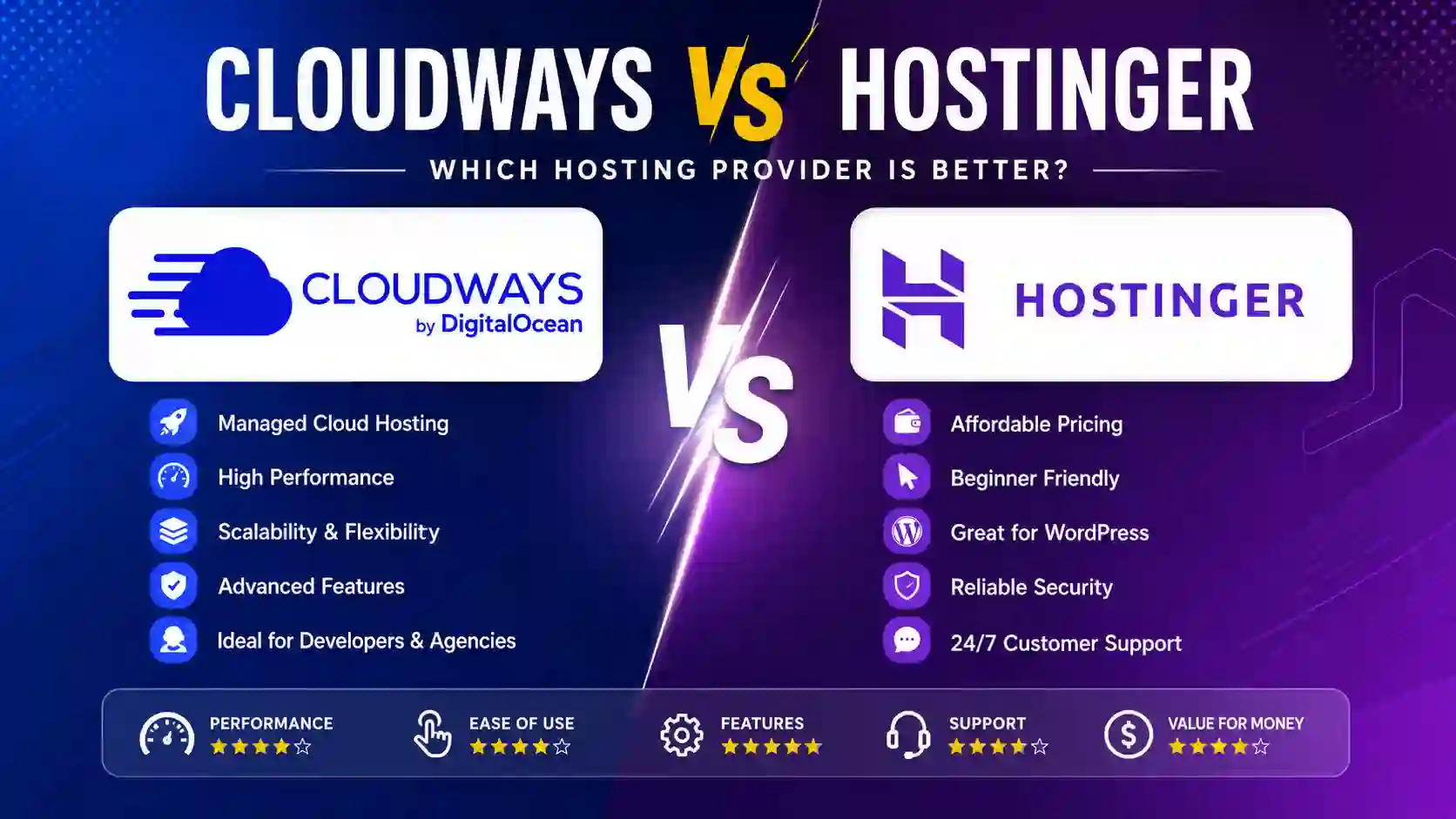
Cloudways vs Hostinger: Which Hosting Provider Is Better for Your Website?
Choosing the right web hosting provider can have a major impact on your website's speed, reliability, security, scalability, and overall cost. With so many hosting companies available today, it can be difficult to determine which platform is the right fit for your website.
Two popular options that often come up in hosting comparisons are Cloudways and Hostinger. Both platforms offer managed hosting solutions, but they approach web hosting from different perspectives. Hostinger is widely known for affordable and beginner-friendly hosting, while Cloudways focuses more heavily on managed cloud hosting, performance, flexibility, and scalability.
In this detailed Cloudways vs Hostinger comparison, we will look at the key differences between the two hosting providers, including performance, pricing, ease of use, security, customer support, scalability, WordPress hosting, features, and suitability for different types of users.
If you are trying to decide between Cloudways and Hostinger, this guide will help you understand which platform makes more sense for your specific website.
Cloudways vs Hostinger: Quick Overview
Before going into the detailed comparison, let's look at the basic differences.
| Feature | Cloudways | Hostinger |
|---|---|---|
| Hosting approach | Managed cloud hosting | Shared, cloud, VPS, and other hosting options |
| Beginner friendly | Moderate | Excellent |
| Performance | Excellent | Very good |
| Scalability | Excellent | Good to excellent depending on plan |
| WordPress hosting | Excellent | Excellent |
| Ease of use | Good | Excellent |
| Advanced hosting control | Excellent | Good |
| Managed hosting | Yes | Depends on hosting product |
| Server flexibility | High | Moderate to high |
| Suitable for beginners | Good | Excellent |
| Suitable for businesses | Excellent | Excellent |
| Suitable for developers | Excellent | Good |
| Budget hosting | Less focused on lowest prices | Strong advantage |
| High-traffic websites | Excellent | Good to excellent depending on plan |
| Free website migration | Available depending on setup | Available on qualifying plans/services |
| SSL | Available | Available |
| Backups | Available | Available depending on plan |
| Best for | Performance-focused users and businesses | Beginners, small businesses, and budget-conscious users |
The most important distinction is simple: Hostinger generally emphasizes affordability and simplicity, while Cloudways emphasizes managed cloud infrastructure, flexibility, and scalability.
What Is Cloudways?
Cloudways is a managed cloud hosting platform designed to simplify the process of running websites on cloud infrastructure.
Instead of requiring website owners to manage a cloud server completely on their own, Cloudways provides a management layer that makes deploying and maintaining applications easier.
Cloudways has traditionally focused on infrastructure from major cloud providers, allowing customers to select different server environments and resources based on their requirements.
This approach can be especially useful for businesses, agencies, developers, WooCommerce stores, and website owners who need more control and scalability than traditional shared hosting can provide.
One of the major advantages of Cloudways is that users do not necessarily need to become Linux server administration experts just to operate a cloud server.
Cloudways handles many server-management tasks through its platform, while still providing access to important performance and server-related controls.
Who Should Consider Cloudways?
Cloudways can be a strong option for:
- Growing WordPress websites
- WooCommerce stores
- Agencies managing multiple websites
- Developers
- Businesses expecting increasing traffic
- High-performance websites
- Websites requiring scalable infrastructure
- Users who want managed cloud hosting
- Website owners who need more server flexibility
However, Cloudways can feel more complicated than traditional shared hosting if you are completely new to hosting.
What Is Hostinger?
Hostinger is a popular web hosting company offering several types of hosting services, including shared hosting, cloud hosting, VPS hosting, and WordPress-focused solutions.
One of Hostinger's biggest strengths is its focus on simplicity and affordability.
For someone creating their first website, blog, portfolio, small business website, or basic online store, Hostinger can provide an accessible entry point into web hosting.
The platform is designed to reduce the technical complexity associated with launching and managing a website.
Hostinger also provides tools intended to make website creation easier, including website management features and options for WordPress users.
Who Should Consider Hostinger?
Hostinger is particularly suitable for:
- Beginners
- Bloggers
- Small businesses
- Personal websites
- Portfolio websites
- Affiliate websites
- New WordPress websites
- Small online stores
- Users with limited hosting experience
- People looking for affordable hosting
If your primary goal is to launch a website quickly without dealing with complicated server configuration, Hostinger is often easier to understand.
Cloudways vs Hostinger: Performance
Performance is one of the most important factors when choosing a hosting provider.
A fast website can improve user experience, conversions, engagement, and potentially search visibility. However, website speed is influenced by many factors, including hosting infrastructure, website code, plugins, themes, images, caching, databases, and traffic.
Cloudways has an advantage when it comes to infrastructure flexibility.
Because Cloudways operates around managed cloud hosting, users can choose infrastructure configurations that are better suited to websites requiring additional computing resources.
This can make Cloudways particularly attractive for resource-intensive WordPress websites and online stores.
Hostinger also provides strong performance for many websites, particularly when a site is properly optimized and the hosting plan matches its requirements.
For a new blog or relatively small business website, the difference may not be significant enough to justify choosing a more advanced hosting environment.
Performance Winner: Cloudways
If raw infrastructure flexibility and scalability are your main priorities, Cloudways has the advantage.
For normal websites that do not have demanding traffic or resource requirements, Hostinger can still provide very good performance.
Cloudways vs Hostinger: Ease of Use
Ease of use is an area where Hostinger has a significant advantage.
Hostinger is designed with beginners in mind. Its hosting management environment aims to make common tasks easier, including setting up websites, managing domains, installing WordPress, creating email accounts, and managing hosting resources.
Cloudways is also designed to simplify cloud hosting, but the underlying concept is more advanced.
When you work with Cloudways, you are dealing with managed cloud infrastructure. This provides more flexibility but can also introduce additional concepts that beginners may need to learn.
For example, someone launching their first blog may not care about server-level configuration or cloud infrastructure.
They simply want to install WordPress, select a theme, publish content, and move on.
For that user, Hostinger is likely the more comfortable choice.
Ease-of-Use Winner: Hostinger
Hostinger is generally better for users who want a straightforward hosting experience.
Cloudways is better for users who are comfortable with a slightly more technical environment and want additional infrastructure flexibility.
Cloudways vs Hostinger: Pricing
Pricing is another major difference between the platforms.
Hostinger has historically positioned itself as a budget-friendly hosting provider. Its introductory plans can make it attractive to beginners and small website owners.
Cloudways is positioned differently.
Instead of competing primarily on the lowest possible hosting price, Cloudways focuses on managed cloud infrastructure and the additional value that comes from its management platform.
When comparing pricing, it is important to avoid looking only at the advertised monthly number.
You should also consider:
- Renewal pricing
- Available resources
- Storage
- Bandwidth
- Number of websites
- Backup options
- Server resources
- Support
- Scalability
- Performance requirements
- Additional services
A cheap hosting plan can become expensive if your website outgrows the resources available.
Likewise, a more expensive hosting platform may be worthwhile if it saves you significant technical management time.
Pricing Winner: Hostinger
For users primarily looking for affordable hosting, Hostinger generally has the stronger value proposition.
Cloudways can make more financial sense when your website needs managed cloud infrastructure and higher scalability.
Cloudways vs Hostinger: WordPress Hosting
WordPress is one of the most popular website platforms, so WordPress hosting deserves special attention.
Both Cloudways and Hostinger can be used for WordPress websites.
Hostinger is particularly attractive for new WordPress users because the setup process is relatively straightforward.
A beginner can typically get a WordPress website running without understanding server administration.
Cloudways is more interesting for advanced WordPress users.
For example, suppose you operate a content website that receives significant traffic or an online store that depends heavily on database performance.
In that situation, having access to a more flexible cloud infrastructure can become increasingly important.
Cloudways also appeals to agencies and developers managing several client websites.
WordPress Winner
The answer depends on your requirements.
Hostinger is better for beginners and smaller WordPress websites.
Cloudways is better for performance-focused and growing WordPress websites.
Cloudways vs Hostinger for WooCommerce
WooCommerce websites have different hosting requirements compared with simple blogs.
An online store may need to handle:
- Product searches
- Customer accounts
- Shopping carts
- Checkout processes
- Payment processing
- Order management
- Product databases
- Traffic spikes
- Marketing campaigns
As the store grows, hosting performance becomes increasingly important.
Cloudways can be attractive for WooCommerce because its managed cloud approach gives store owners more room to scale infrastructure.
Hostinger can also work well for smaller WooCommerce stores, especially when the product catalog and traffic levels are relatively modest.
For a new store, choosing Hostinger can be a practical way to keep initial costs under control.
For a growing store where downtime, slow performance, or resource limitations could directly affect revenue, Cloudways may become more attractive.
WooCommerce Winner: Cloudways for growing stores
For smaller stores, Hostinger can provide excellent value.
For larger or more demanding stores, Cloudways is generally the stronger option.
Cloudways vs Hostinger: Security
Website security should never be treated as an optional feature.
Both hosting providers provide security-related tools and features, but website owners still have responsibilities.
A secure hosting environment cannot protect a website that uses outdated plugins, weak passwords, vulnerable themes, or poorly configured applications.
Important security considerations include:
- SSL certificates
- Server security
- Malware protection
- Backups
- Software updates
- Account security
- Firewall protection
- Secure passwords
- Two-factor authentication
- WordPress security
- Regular monitoring
Cloudways is designed around managed infrastructure and includes several server-level security features.
Hostinger also provides security features across its hosting products.
For most small websites, either provider can provide an adequate foundation when the website itself is properly maintained.
Security Winner: Tie
The exact security requirements of your website matter more than simply choosing one provider over another.
Cloudways vs Hostinger: Customer Support
Customer support becomes particularly important when something goes wrong.
A hosting issue can potentially make your website unavailable, so fast assistance can be valuable.
Hostinger provides customer support aimed at a broad audience, including beginners.
Cloudways also provides managed hosting support, which can be particularly valuable when dealing with cloud infrastructure.
The type of support you need matters here.
If you need help with basic website setup, domain configuration, WordPress installation, or hosting management, Hostinger can be a comfortable choice.
If your issue involves cloud infrastructure or more advanced hosting configuration, Cloudways may be more appropriate.
Support Winner: Depends on the User
Beginners may prefer Hostinger's simpler approach, while technical users and businesses may appreciate Cloudways' managed cloud environment.
Cloudways vs Hostinger: Scalability
Scalability is one of the clearest differences between the two platforms.
A website may start with relatively little traffic but grow substantially over time.
For example, a blog might start with a few hundred visitors per month and eventually receive hundreds of thousands of visitors.
An online store can experience similar growth.
Cloudways is designed to make scaling cloud resources more practical.
This makes it attractive for websites where traffic and resource requirements are expected to increase.
Hostinger also offers different hosting products, meaning users can upgrade from basic hosting to more capable solutions.
However, the cloud-focused architecture of Cloudways gives it an advantage for users who prioritize infrastructure scalability.
Scalability Winner: Cloudways
If future growth is one of your biggest concerns, Cloudways is usually the more compelling option.
Cloudways vs Hostinger for Beginners
If you are completely new to website hosting, you probably do not need the most advanced hosting environment available.
You need something that lets you:
- Register or connect your domain.
- Install WordPress.
- Select a theme.
- Create pages.
- Publish content.
- Configure basic security.
- Manage backups.
- Monitor your website.
Hostinger is particularly well suited to this type of workflow.
Cloudways is not necessarily difficult, but it is built around a more sophisticated hosting model.
For a beginner creating their first blog, Hostinger is likely the better starting point.
Beginner Winner: Hostinger
Cloudways vs Hostinger for Developers
Developers often have different requirements from beginners.
A developer may care about:
- Server resources
- Deployment workflows
- Application configuration
- Databases
- Caching
- Server monitoring
- Staging environments
- Scalability
- Infrastructure flexibility
Cloudways is particularly attractive in this situation.
Its managed cloud approach can provide a balance between control and convenience.
Instead of managing every part of the server manually, developers can use managed infrastructure while still having access to advanced functionality.
Developer Winner: Cloudways
Cloudways vs Hostinger for Agencies
Digital agencies often manage multiple websites for clients.
Their hosting requirements may include:
- Multiple applications
- Reliable performance
- Easy site management
- Scalability
- Backups
- Staging
- Client management
- Security
- Efficient workflows
Cloudways can be particularly attractive to agencies because managed cloud hosting can reduce the amount of server administration required.
Hostinger can also work well for agencies managing smaller websites, particularly where budget is a major consideration.
For agencies managing high-value or high-traffic websites, Cloudways may provide a better long-term environment.
Hostinger vs Cloudways: Which Is Better for SEO?
Hosting can influence SEO indirectly through website performance, availability, and user experience.
However, hosting alone does not guarantee better rankings.
Search performance depends on many factors, including:
- Content quality
- Search intent
- Technical SEO
- Internal linking
- Backlinks
- Website speed
- Mobile usability
- Structured data
- Crawlability
- User experience
A well-optimized website hosted on Hostinger can perform better than a poorly optimized website hosted on Cloudways.
Similarly, Cloudways can provide excellent infrastructure for a website that needs additional performance and scalability.
Therefore, when comparing Hostinger vs Cloudways for SEO, the better option is the one that provides sufficient performance and reliability for your website while fitting your technical and financial requirements.
Cloudways vs Hostinger: Migration
Website migration can be stressful, especially if your website is already generating traffic or revenue.
Both platforms provide migration-related options, but the exact process depends on the website, hosting plan, application, and migration method.
Before migrating, always create a complete backup.
You should also check:
- Website files
- Database
- DNS records
- Email configuration
- SSL
- Redirects
- WordPress settings
- Plugins
- Cron jobs
- Caching
- CDN configuration
After migration, test the website thoroughly before changing DNS settings permanently.
Check important pages, forms, checkout processes, images, login functionality, and mobile layouts.
Cloudways vs Hostinger: Backups
Backups are one of the most important hosting features.
A backup allows you to restore your website if something goes wrong.
Potential problems include:
- Plugin conflicts
- Failed updates
- Security incidents
- Human mistakes
- Database corruption
- Server problems
- Accidental deletion
Cloudways provides backup functionality as part of its managed hosting environment.
Hostinger also provides backup options depending on the hosting product and plan.
When evaluating backup systems, look beyond the word "backup."
Check:
- Backup frequency
- Retention period
- Restore process
- Off-site backup availability
- Backup storage
- Whether backups include databases
- Whether manual backups are available
Important Links and Information
The following table can be used as a quick reference section in this article. Because hosting plans, pricing, promotions, and product pages can change, readers should verify the current details directly with the respective provider before purchasing.
| Resource | Information to Check | Why It Matters |
| Cloudways official website | Current hosting products and platform features | Best starting point for Cloudways information |
| Cloudways hosting plans | Current server and infrastructure options | Helps determine the right configuration |
| Cloudways WordPress hosting | WordPress-specific features | Useful for WordPress site owners |
| Cloudways WooCommerce hosting | Ecommerce hosting features | Important for online stores |
| Cloudways support | Support options and documentation | Useful when troubleshooting |
| Hostinger official website | Current hosting products | Best starting point for Hostinger information |
| Hostinger hosting plans | Current pricing and resources | Helps compare plans |
| Hostinger WordPress hosting | WordPress features | Useful for bloggers and businesses |
| Hostinger VPS hosting | VPS resources and specifications | Useful for advanced users |
| Hostinger support | Help center and customer assistance | Useful for technical issues |
| Domain registrar | Domain registration and renewal information | Important when managing domains |
| SSL documentation | SSL installation and renewal details | Important for website security |
| Backup documentation | Backup frequency and restoration process | Important for disaster recovery |
For publication, it is recommended to connect each resource name above to its current official provider page rather than relying on third-party hosting comparison websites.
Cloudways vs Hostinger: Pros and Cons
Cloudways Pro and Cons
Pros
- Strong managed cloud hosting approach
- Excellent scalability
- Suitable for demanding websites
- Strong option for developers
- Good for agencies
- Well suited to growing businesses
- Useful for performance-focused WordPress websites
- More infrastructure flexibility
Cons
- Can be more complicated for beginners
- May cost more than basic shared hosting
- Cloud hosting concepts can require additional learning
- Not always necessary for a small website
- The wide range of infrastructure choices can be confusing for inexperienced users
Hostinger Pro and Cons
Pros
- Beginner-friendly
- Affordable hosting options
- Easy website setup
- Good option for WordPress
- Suitable for blogs and small businesses
- Offers several types of hosting
- Straightforward management experience
- Good value for budget-conscious website owners
Cons
- Basic hosting plans may not be suitable for very demanding websites
- Advanced users may want more infrastructure flexibility
- Scaling requirements should be evaluated carefully as traffic increases
- Some advanced requirements may require upgrading to a higher-level hosting product
Which One Should You Choose?
The answer depends on the type of website you are building.
Choose Hostinger if:
- You are a beginner.
- You want affordable hosting.
- You are launching a personal blog.
- You are building a small business website.
- You are creating a portfolio.
- Your website has relatively modest traffic.
- You want a simple hosting dashboard.
- You do not want to manage complicated infrastructure.
Choose Cloudways if:
- Your website requires high performance.
- You expect significant growth.
- You run a large WordPress website.
- You operate a growing WooCommerce store.
- You are a developer.
- You manage websites for clients.
- You need greater infrastructure flexibility.
- Scalability is an important requirement.
- You are comfortable paying more for managed cloud infrastructure.
Cloudways vs Hostinger: Final Verdict
There is no universal winner in the Cloudways vs Hostinger comparison because the two platforms are designed for somewhat different audiences.
Hostinger is the stronger choice for beginners, bloggers, small businesses, and users who prioritize affordability and simplicity.
Cloudways is the stronger choice for businesses, developers, agencies, ecommerce websites, and growing websites that require managed cloud infrastructure, scalability, and performance.
If you are launching your first website and simply want an affordable hosting platform that is easy to manage, Hostinger is likely the better choice.
If your website is already growing or you expect substantial traffic in the future, Cloudways deserves serious consideration.
The most important thing is to choose hosting based on your actual requirements rather than selecting a provider solely because it is cheaper or more popular.
Conclusion
The Cloudways vs Hostinger debate ultimately comes down to your website's requirements, technical experience, budget, and expected growth.
Hostinger is an excellent choice when simplicity and affordability are the priorities. It is particularly suitable for beginners, bloggers, small businesses, portfolios, and websites that do not require advanced cloud infrastructure.
Cloudways takes a different approach by focusing on managed cloud hosting. It is better suited to users who want greater scalability, more infrastructure flexibility, and a hosting environment capable of supporting demanding websites.
For a beginner starting a new blog, Hostinger is likely the more practical option.
For a growing business, high-traffic WordPress website, WooCommerce store, development project, or agency portfolio, Cloudways may provide more room to grow.
In other words, there is no single winner in the Hostinger vs Cloudways comparison. The best hosting provider is the one that matches your website's current needs without creating unnecessary complexity or expense.
If affordability and simplicity matter most, start with Hostinger.
If scalability, managed cloud infrastructure, and performance are more important, consider Cloudways.
Before making your final decision, compare the current plans, resources, renewal costs, backup policies, support options, and scalability features offered by both providers. Hosting requirements can change as your website grows, so choosing a platform that can support your long-term goals is just as important as finding the right price today.
Frequently Asked Questions
Verified Expert in deals and money-saving tips


No comments yet. Be the first to share your thoughts!