When Should I Upgrade from Shared Hosting to VPS Hosting?
Wondering when to upgrade from shared hosting to VPS hosting? This complete guide explains the key signs, benefits, comparisons, and practical tips to help you make the right decision.
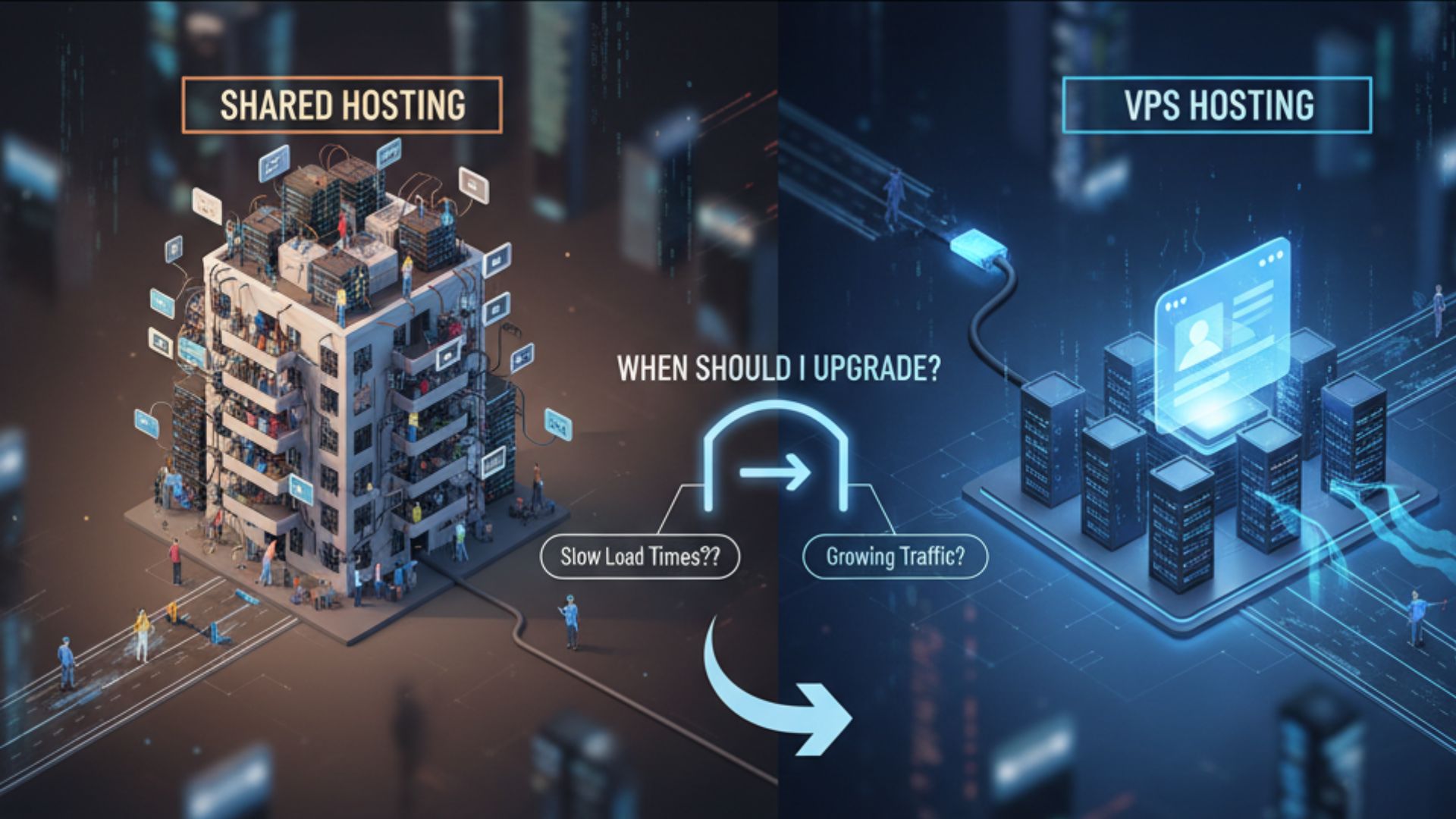
When Should I Upgrade from Shared Hosting to VPS Hosting?
Choosing the right hosting plan is one of the most important decisions for any website owner. Many websites begin their journey on shared hosting because it is affordable, easy to manage, and suitable for low to moderate traffic. However, as a website grows, there comes a point where shared hosting may no longer provide the performance, resources, or flexibility needed to support continued growth.
If you have ever asked yourself, "When Should I Upgrade from Shared Hosting to VPS Hosting?", you are not alone. Thousands of bloggers, business owners, developers, and eCommerce store owners face this decision every year. Upgrading too early can increase your hosting costs unnecessarily, while upgrading too late can result in slow website performance, downtime, security risks, and a poor user experience.
In this guide, you'll learn exactly when should I upgrade from shared hosting to VPS hosting?, the warning signs to watch for, the advantages of VPS hosting, and how to determine whether your website is ready for the next step.
Important Information
| Information | Details |
|---|---|
| Suitable For | Bloggers, Businesses, Developers, eCommerce Stores |
| Beginner Friendly | Yes |
| Recommended Upgrade | VPS Hosting |
| Main Benefits | Better Performance, More Resources, Improved Security |
| Best Time to Upgrade | When Shared Hosting Limits Growth |
| Scalability | High |
| Resource Allocation | Dedicated Virtual Resources |
| Root Access | Available on Most VPS Plans |
| Best For | Medium to High Traffic Websites |
Quick Comparison: Shared Hosting vs VPS Hosting
| Feature | Shared Hosting | VPS Hosting |
| Cost | Lower | Moderate |
| Performance | Shared Resources | Dedicated Virtual Resources |
| Security | Standard | Better Isolation |
| Speed | Good for Small Sites | Better for Growing Sites |
| Scalability | Limited | Easy to Upgrade |
| Root Access | No | Usually Yes |
| Custom Configuration | Limited | Extensive |
| Suitable Traffic | Low to Medium | Medium to High |
What Is Shared Hosting?
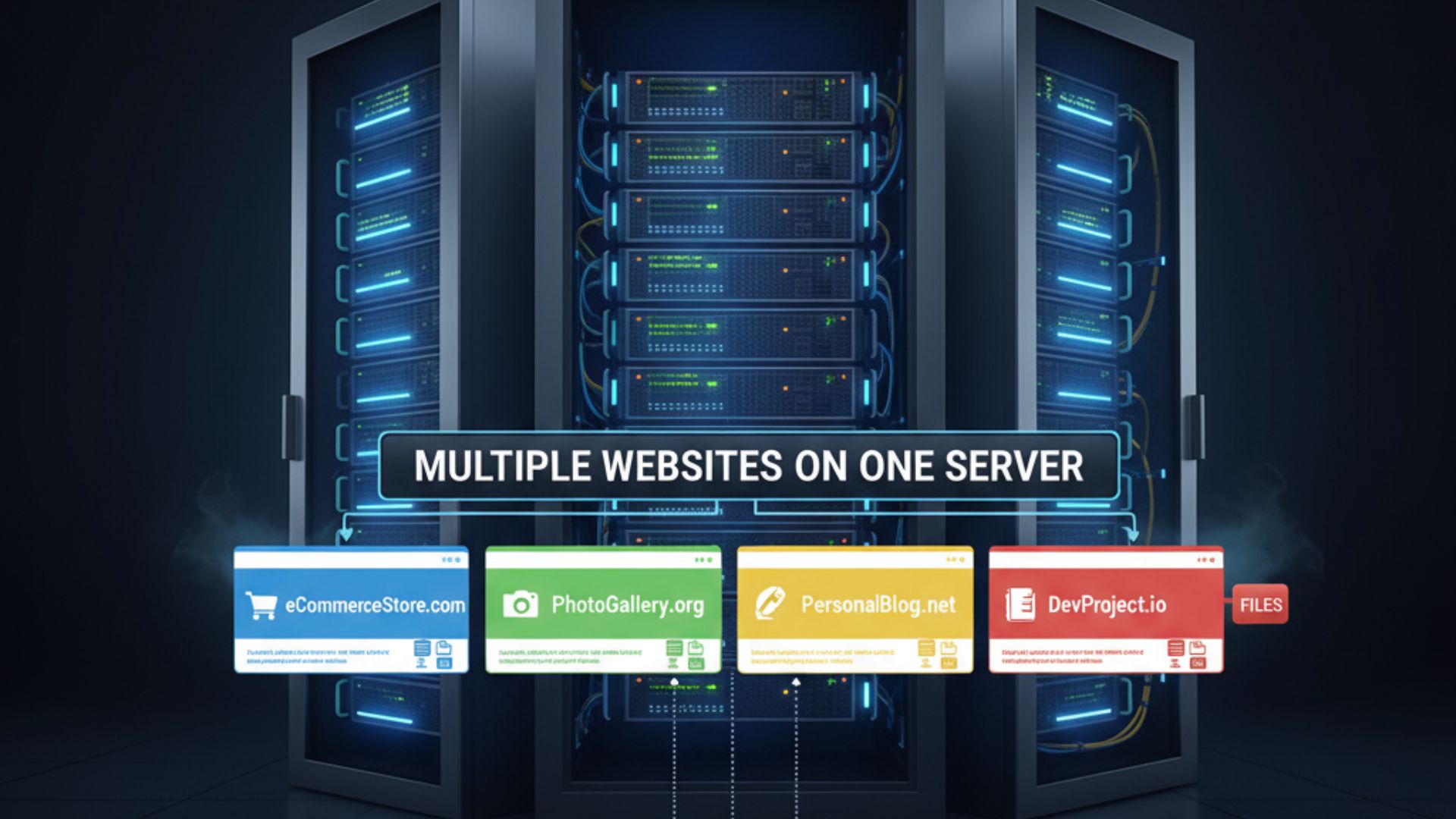
Shared hosting is the most common type of web hosting for beginners. In this hosting environment, multiple websites share the same physical server and its resources, including CPU, RAM, storage, and bandwidth.
Because many websites use the same server, hosting providers can keep costs low. This makes shared hosting an excellent choice for:
- Personal blogs
- Portfolio websites
- Small business websites
- Student projects
- New affiliate websites
- Informational websites
For many users, shared hosting provides everything needed during the early stages of a website.
Advantages of Shared Hosting
Before discussing When Should I Upgrade from Shared Hosting to VPS Hosting?, it's important to understand why shared hosting is so popular.
Affordable Pricing
Shared hosting is usually the least expensive hosting option available, making it ideal for beginners.
Easy to Manage
Most shared hosting plans include user-friendly control panels, one-click software installation, and automatic updates.
Minimal Technical Knowledge Required
Server maintenance, hardware management, and software updates are typically handled by the hosting provider.
Suitable for Low Traffic
If your website receives only a few hundred visitors per day, shared hosting often provides sufficient performance.
What Is VPS Hosting?
VPS stands for Virtual Private Server.
Unlike shared hosting, VPS hosting divides one physical server into several independent virtual servers. Each VPS receives its own dedicated allocation of CPU, RAM, storage, and operating system resources.
Although the physical hardware is shared, your virtual environment operates independently from other users.
This provides better performance, improved reliability, and greater control over your hosting environment.
Advantages of VPS Hosting
VPS hosting offers several improvements over shared hosting.
Dedicated Resources
Unlike shared hosting, your allocated resources are reserved for your website.
Better Performance
Websites generally load faster because neighboring websites have less impact on your server performance.
Improved Security
Virtual isolation helps reduce the risk associated with other websites hosted on the same physical server.
Greater Flexibility
Most VPS plans allow users to install custom software, configure server settings, and optimize performance.
Scalability
As your website grows, upgrading VPS resources is usually much easier than moving from one shared hosting plan to another.
Why Website Growth Changes Hosting Requirements?
Every successful website grows over time.
What starts as a small blog may eventually become:
- An online store
- A membership website
- A learning platform
- A business portal
- A news website
- A high-traffic affiliate site
Growth means more visitors, more database requests, more images, more plugins, and more server processing.
Eventually, shared hosting reaches its practical limits.
That is why many website owners begin asking:
When Should I Upgrade from Shared Hosting to VPS Hosting?
The answer depends on several performance indicators rather than a specific number of visitors.
Sign #1: Your Website Is Becoming Slow
One of the biggest warning signs is decreasing website speed.
Visitors expect websites to load quickly. Even a small delay can affect:
- User experience
- Search engine rankings
- Conversion rates
- Revenue
- Bounce rate
If your pages are loading much slower than before despite optimizing images, using caching, and minimizing plugins, your hosting resources may no longer be sufficient.
In many cases, upgrading to VPS hosting resolves resource-related bottlenecks.
Sign #2: Traffic Has Increased Significantly
A website with only a few hundred monthly visitors usually performs well on shared hosting.
However, as traffic grows into thousands or tens of thousands of monthly visitors, server resource usage increases considerably.
Higher traffic means:
- More simultaneous users
- More PHP processing
- More database queries
- Increased RAM usage
- Higher CPU utilization
If your website is attracting consistent traffic growth, it may be time to consider VPS hosting before performance starts declining.
Sign #3: Frequent Resource Limit Warnings
Many hosting providers monitor resource usage.
If you regularly receive notifications such as:
- CPU limit reached
- Memory limit exceeded
- Entry process limit reached
- I/O usage exceeded
- Account throttled
your hosting plan may no longer be sufficient.
Ignoring these warnings can lead to slower performance and temporary service interruptions.
A VPS provides dedicated virtual resources, reducing the likelihood of these limitations.
Sign #4: Website Downtime Is Increasing
Frequent downtime is another indication that shared hosting may be struggling to handle your website.
Downtime can result in:
- Lost sales
- Lower search rankings
- Poor user experience
- Reduced customer trust
- Missed business opportunities
If server overload is causing downtime, upgrading to VPS hosting can significantly improve stability and reliability.
Sign #5: Your Website Uses Too Much CPU and RAM
As your website grows, every visitor consumes server resources. Dynamic websites built with WordPress, Magento, Laravel, Joomla, or other content management systems require CPU power and RAM to process requests.
If your hosting dashboard frequently shows high CPU or memory usage, your website may be outgrowing shared hosting.
Common reasons include:
- Increased website traffic
- Multiple active plugins
- Large databases
- Resource-intensive themes
- Background tasks
- Frequent cron jobs
With VPS hosting, your website receives dedicated virtual resources, resulting in more consistent performance.
Sign #6: You Run an eCommerce Website
Online stores have much higher hosting requirements than standard blogs.
Every customer interaction requires server resources, including:
- Product searches
- Shopping cart updates
- Checkout processing
- Inventory management
- Customer accounts
- Payment gateway communication
A slow online store can lead to abandoned carts and lost sales.
If your business depends on online transactions, upgrading from shared hosting to VPS hosting can improve both performance and customer experience.
Sign #7: You Need Better Security
Security becomes increasingly important as your website grows.
Shared hosting environments are generally secure, but because multiple websites share the same physical server, they have fewer isolation advantages than VPS hosting.
VPS hosting offers improved security through:
- Better account isolation
- Dedicated virtual environment
- Greater control over security settings
- Custom firewall configuration
- Private server resources
If your website stores customer information, handles payments, or processes sensitive business data, stronger security may justify upgrading.
Sign #8: You Need Root Access
One of the biggest advantages of VPS hosting is root access.
Root access allows administrators to:
- Install custom software
- Configure server settings
- Modify PHP versions
- Install security applications
- Configure firewalls
- Optimize server performance
- Run custom scripts
Shared hosting users usually cannot perform these tasks because server management is controlled by the hosting provider.
If your projects require advanced customization, VPS hosting becomes the better choice.
Sign #9: You Host Multiple Websites
Many website owners eventually manage several websites under one hosting account.
Examples include:
- Business websites
- Affiliate websites
- Client websites
- Landing pages
- Blogs
- Online stores
Running multiple active websites on a shared hosting plan can consume significant resources.
A VPS provides greater flexibility and more resources for hosting multiple websites without affecting overall performance.
Sign #10: You Need Better Scalability
Every successful website experiences growth.
Your hosting should be able to grow with your business.
Shared hosting upgrades are usually limited to predefined plans.
VPS hosting offers better scalability because additional CPU, RAM, storage, and bandwidth can often be added with minimal disruption.
This flexibility helps future-proof your hosting environment.
Performance Comparison
Performance is often the biggest reason website owners upgrade.
| Feature | Shared Hosting | VPS Hosting |
|---|---|---|
| CPU Resources | Shared | Dedicated Virtual Allocation |
| RAM | Shared | Dedicated |
| Storage Performance | Shared | Better Consistency |
| Website Speed | Good | Faster Under Load |
| Traffic Handling | Limited | Higher Capacity |
| Resource Stability | Variable | More Predictable |
For websites expecting continued growth, VPS hosting provides a more stable hosting environment.
Resource Allocation
Resource allocation is one of the biggest differences between the two hosting types.
Shared Hosting
Resources are shared among many websites.
If another website experiences a traffic spike, your site's performance may also be affected.
VPS Hosting
Resources are reserved for your virtual server.
Although multiple VPS instances exist on the same physical machine, each one receives its own allocated CPU, RAM, and storage resources.
This leads to more consistent website performance.
Website Speed Improvements
Website speed directly affects:
- Search engine rankings
- Visitor satisfaction
- Bounce rates
- Conversion rates
- Revenue
Moving from shared hosting to VPS hosting often improves speed because:
- Dedicated resources reduce contention.
- Server response times are generally more consistent.
- Applications have more available memory.
- CPU-intensive processes complete more efficiently.
While website optimization is still important, better hosting infrastructure can eliminate many performance bottlenecks.
Scalability Comparison
Growth should never require rebuilding your hosting environment from scratch.
Shared hosting works well initially but offers limited expansion options.
VPS hosting allows you to increase resources as your website grows.
Examples of scalable resources include:
- CPU cores
- RAM
- Storage
- Bandwidth
- Backup options
This makes VPS hosting an excellent long-term solution for growing businesses.
Cost Comparison
Cost is often one of the main reasons users hesitate to upgrade.
| Hosting Type | Typical Cost | Best For |
| Shared Hosting | Lowest | Beginners and Small Websites |
| VPS Hosting | Moderate | Growing Websites and Businesses |
Although VPS hosting costs more than shared hosting, the additional performance, reliability, and flexibility often justify the investment for websites generating consistent traffic or revenue.
Who Should Continue Using Shared Hosting?
Not every website needs VPS hosting.
Shared hosting remains a good choice if:
- Your website is new.
- Traffic is relatively low.
- You are learning website management.
- You have a limited budget.
- You run a personal blog.
- You manage a portfolio website.
- Your website rarely experiences traffic spikes.
For these users, shared hosting continues to offer excellent value.
Who Should Upgrade to VPS Hosting?
You should strongly consider VPS hosting if:
- Your website traffic is growing every month.
- You frequently reach hosting resource limits.
- Website speed is becoming inconsistent.
- Downtime affects your business.
- You operate an online store.
- You manage multiple websites.
- You require custom server configurations.
- You need enhanced security.
- Your business depends on website availability.
- You expect continued long-term growth.
If several of these situations apply to your website, the answer to "When Should I Upgrade from Shared Hosting to VPS Hosting?" is likely: now is the right time to start planning your upgrade.
How to Prepare Before Upgrading?
Migrating to VPS hosting is easier when you prepare in advance.
Before upgrading:
- Back up your entire website.
- Export your databases.
- Record DNS settings.
- List installed plugins and applications.
- Verify software compatibility.
- Choose an appropriate VPS configuration.
- Schedule migration during low-traffic hours.
- Test your website after migration.
- Monitor performance during the first few days.
Proper planning helps minimize downtime and ensures a smoother transition to your new hosting environment.
Common Myths About Upgrading to VPS Hosting
Many website owners delay upgrading because of common misconceptions about VPS hosting. Understanding the facts can help you make a better decision.
Myth 1: VPS Hosting Is Only for Large Companies
This is one of the most common myths. VPS hosting is suitable for businesses of all sizes. Many bloggers, freelancers, startups, and small online stores use VPS hosting because it offers better performance without the cost of a dedicated server.
Myth 2: VPS Hosting Is Too Expensive
While VPS hosting costs more than shared hosting, prices have become much more affordable in recent years. For websites that generate leads, sales, or advertising revenue, the additional cost is often outweighed by improved speed, reliability, and scalability.
Myth 3: Upgrading Is Complicated
Most hosting providers offer website migration services or migration tools that make the process straightforward. With proper planning, moving from shared hosting to VPS hosting can usually be completed with minimal downtime.
Myth 4: Every Website Needs VPS Hosting
Not every website requires VPS hosting. If your website has low traffic and modest resource requirements, shared hosting may continue to meet your needs. The key is to upgrade only when your website begins to outgrow the limitations of shared hosting.
Mistakes to Avoid Before Upgrading
Upgrading to VPS hosting is a significant step, and avoiding these common mistakes can save time and money.
Choosing More Resources Than You Need
It may be tempting to purchase the largest VPS plan available, but paying for unused resources increases costs unnecessarily. Choose a plan based on your current requirements with enough room for future growth.
Ignoring Future Growth
On the other hand, selecting a VPS plan with very limited resources may require another upgrade sooner than expected. Estimate your expected traffic growth before making a decision.
Forgetting to Create Backups
Always create a complete backup of your website files, databases, emails, and configuration settings before migrating.
Not Testing After Migration
After your website is moved to the VPS, test every important feature, including:
- Website pages
- Contact forms
- Login functionality
- Payment gateways
- Email accounts
- SSL certificate
- Images and downloads
Testing helps identify issues before visitors encounter them.
Choosing Hosting Based Only on Price
Price is important, but it should not be the only factor. Consider server performance, customer support, uptime, scalability, security, and backup options before selecting a VPS provider.
Checklist Before Upgrading to VPS Hosting
Use this checklist to determine whether your website is ready for a VPS upgrade.
| Checklist Item | Status |
|---|---|
| Website traffic is increasing consistently | □ |
| Website speed has become slower | □ |
| Hosting resource limits are reached regularly | □ |
| Website experiences downtime | □ |
| Multiple websites are hosted on one account | □ |
| Better security is required | □ |
| Root access is needed | □ |
| Custom software installation is required | □ |
| Business depends on website availability | □ |
| Future growth is expected | □ |
If you check several of these boxes, upgrading to VPS hosting is likely the right decision.
Conclusion
If you have been asking yourself, "When Should I Upgrade from Shared Hosting to VPS Hosting?", the answer depends on your website's growth, performance, and future goals rather than a specific timeline.
Shared hosting is an excellent starting point for beginners, personal blogs, and small business websites. However, as your website attracts more visitors, uses more resources, or becomes critical to your business, the limitations of shared hosting may begin to affect user experience and overall performance.
Upgrading to VPS hosting provides dedicated virtual resources, better scalability, improved security, and greater control over your hosting environment. It also prepares your website for future growth without many of the restrictions associated with shared hosting.
Before making the switch, evaluate your current traffic, monitor server resource usage, assess your performance needs, and consider your long-term plans. If your website is consistently reaching the limits of shared hosting, moving to VPS hosting is a practical investment that can improve reliability, speed, and user satisfaction.
Ultimately, the right time to upgrade is when your hosting should support your growth instead of limiting it. By recognizing the warning signs early and planning your migration carefully, you can ensure that your website continues to perform well as your audience and business expand.
Frequently Asked Questions
Verified Expert in deals and money-saving tips


No comments yet. Be the first to share your thoughts!